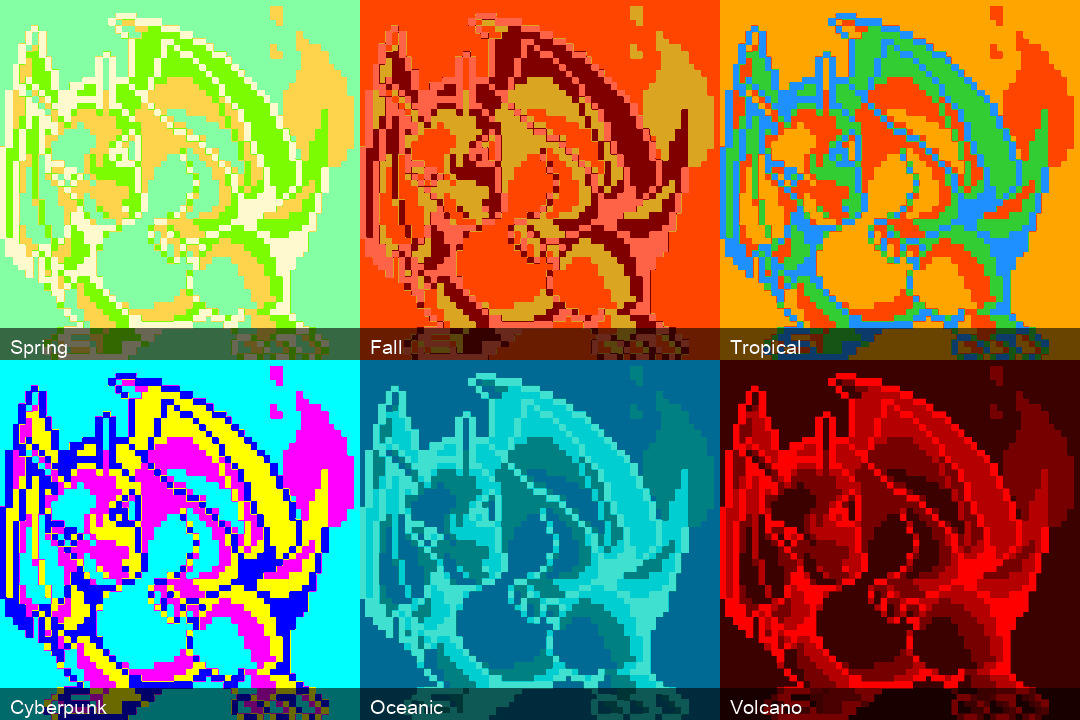
SuperWand takes an image, identifies its dominant color regions using KMeans clustering, and replaces those colors with any of 18 curated aesthetic themes – Vaporwave, Cyberpunk, Tropical, Arctic, and so on – or with a palette stolen from another photo. It is a magic wand for recoloring. Point it at a posterized Charizard, pick “Midnight,” and out comes a moonlit dragon.
The project is on PyPI (v0.3.1) and GitHub. Licensed under MIT.
Updated September 2026: v0.3.0 adds palette transfer, luminance matching, theme-cycle GIFs, a Python API, a much better CSS rethemer and a 25-33x faster gradient engine. pip install -U superwand.
How It Works
The pipeline has three stages.
1. Region Identification
Given an image, SuperWand uses scikit-learn’s KMeans to cluster all pixels into k regions (default 4) by color similarity. For large images, it fits on a random sample of 100,000 pixels (because running KMeans on a 4000x3000 image with 12 million pixels is a good way to watch your laptop overheat) and then assigns every pixel at full resolution to its nearest cluster. The sample is seeded, so the same image and k always give the same regions.
Each pixel gets a label: region 0, region 1, region 2, region 3, ordered from largest to smallest. These regions correspond roughly to the dominant color areas – the sky, the ground, the subject, the shadows.
The choice of k is the main creative knob. On flat vector art, each step up peels off another layer of detail:

2. Theme Injection
Each region gets mapped to a color from the chosen theme. The 18 themes are hand-curated palettes of eight colors each:
| Theme | Vibe |
|---|---|
| Tropical | Orange, coral, lime, dodger blue |
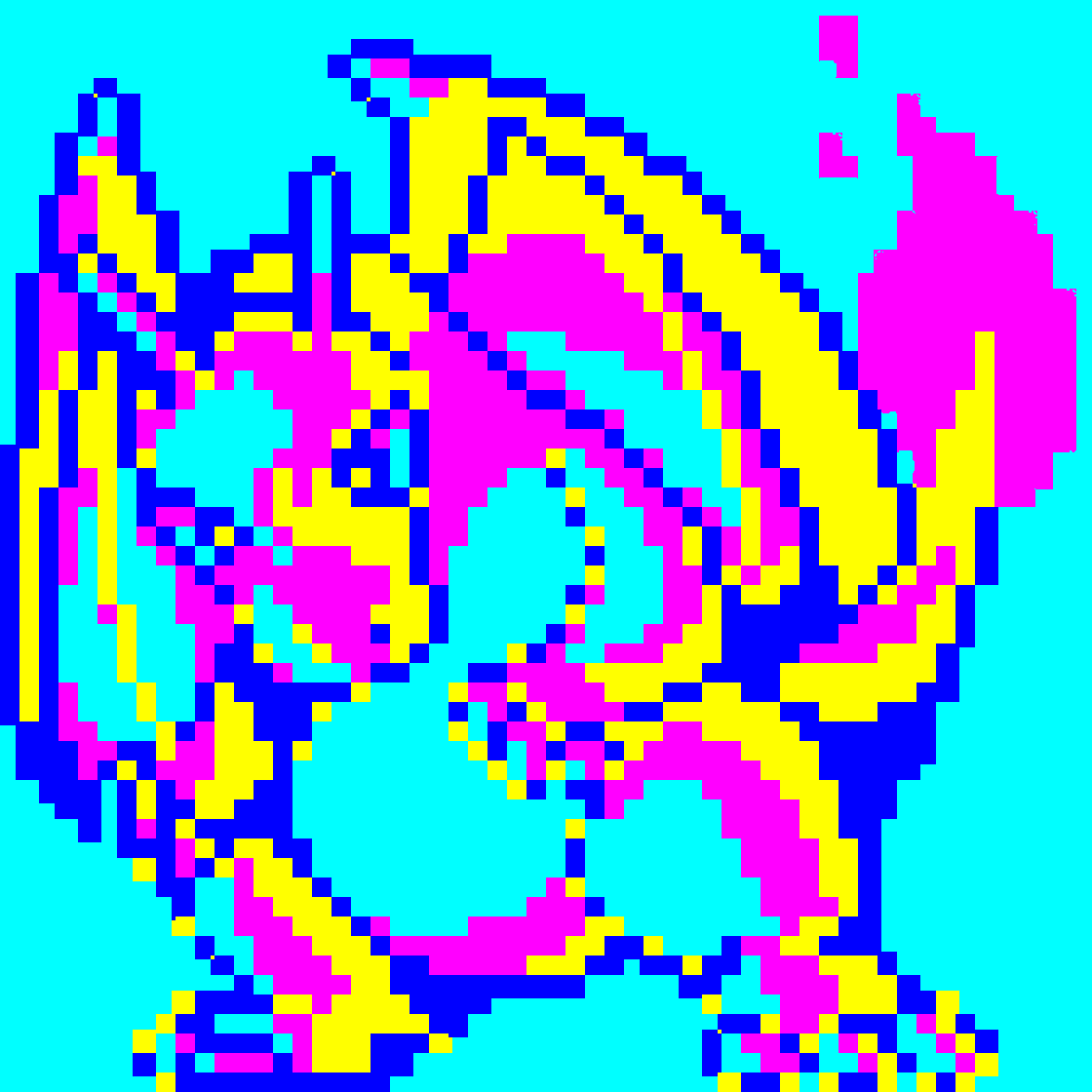
| Cyberpunk | Cyan, magenta, yellow, pure blue |
| Vaporwave | Pink, sky blue, mint, lavender |
| Arctic | Azure, ice blue, steel blue, snow |
| Retro80s | Hot pink, cyan, violet, black |
| Volcano | Deep red, orange, obsidian black |
| … | Spring, Summer, Fall, Winter, Safari, Urban, Neon, Paixão, Midnight, Forest, Sunset, Oceanic |
There are two ways to pair regions with colors:
order(the default for themes): the largest region gets the theme’s first color, the second largest the second color, and so on. It is blunt, and often that is the point – a bright sky can turn midnight navy.luminance: regions and theme colors are both sorted by brightness, and the darkest region gets the darkest color. This preserves the image’s light and shadow structure, so a silhouetted skyline stays a silhouette.
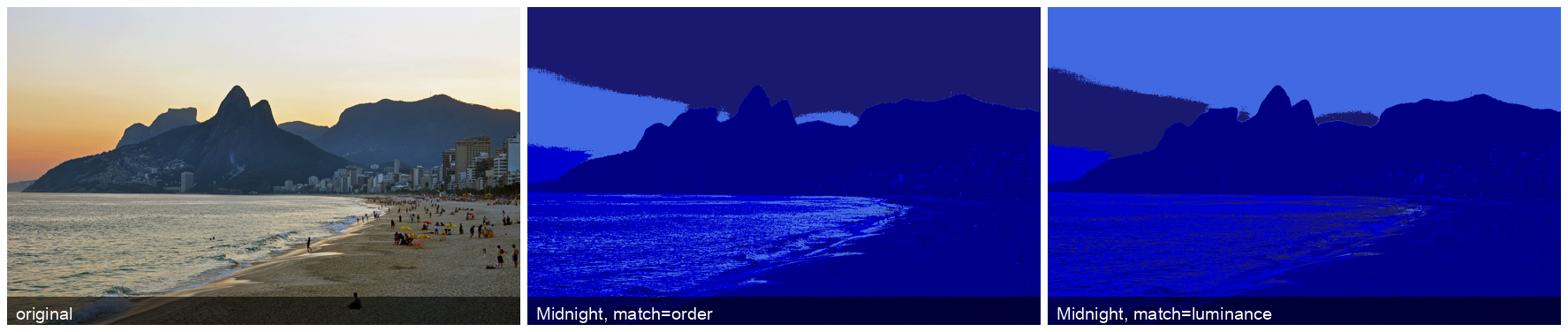
Either way, the result is a recolored image that preserves the original structure (edges, shapes, textures) but wears an entirely different color palette.
3. Gradient Application
Flat color replacement looks… flat. So SuperWand supports five gradient styles that can be applied per region:
- Bottom-up / Top-down – vertical gradient
- Left-right / Right-left – horizontal gradient
- Radial – gradient radiating from the center of the image outward
When a theme is applied, each region’s gradient runs from its theme color to the next color in the theme. The gradient poles span the whole image rather than each region, so neighbouring regions line up into one continuous sweep instead of restarting at every edge.
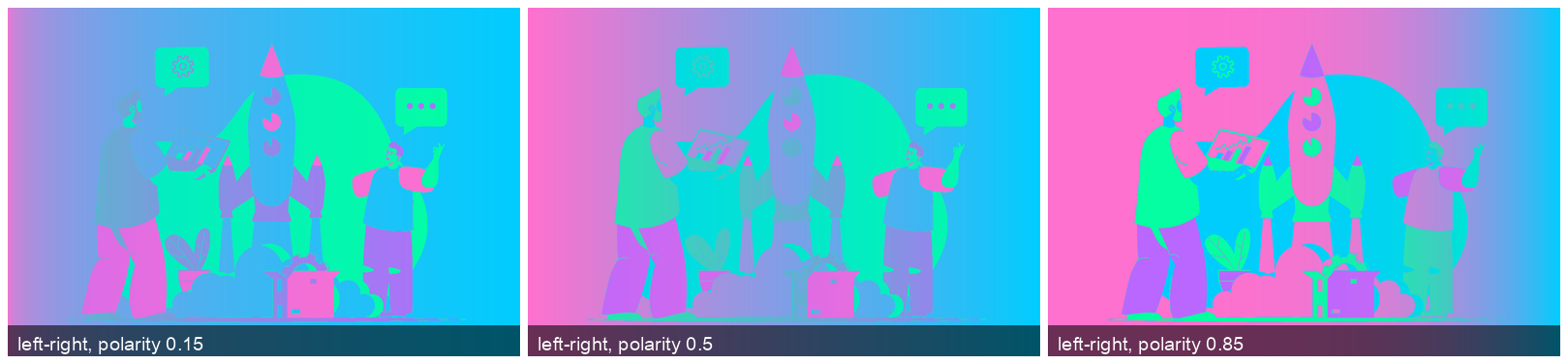
Each gradient has a polarity parameter that controls where the 50/50 blend lands. Every pixel’s position along the gradient, t in [0, 1], is raised to the power p = log(0.5) / log(polarity), which puts the midpoint exactly at t = polarity. Low polarity reaches the end color early; high polarity holds on to the start color:

Palette Transfer
Eighteen themes is a lot, but the best palettes are already out there in photographs. -palette-from runs the same KMeans region finder on a reference image, takes its k cluster centers as a custom theme and applies it with luminance matching. Here a flat vector illustration borrows the palette of a mantis shrimp, and then of plankton from Austin’s Lady Bird Lake:

superwand rocket.jpeg -palette-from mantis_shrimp.jpeg -k 6
SuperWand Studio
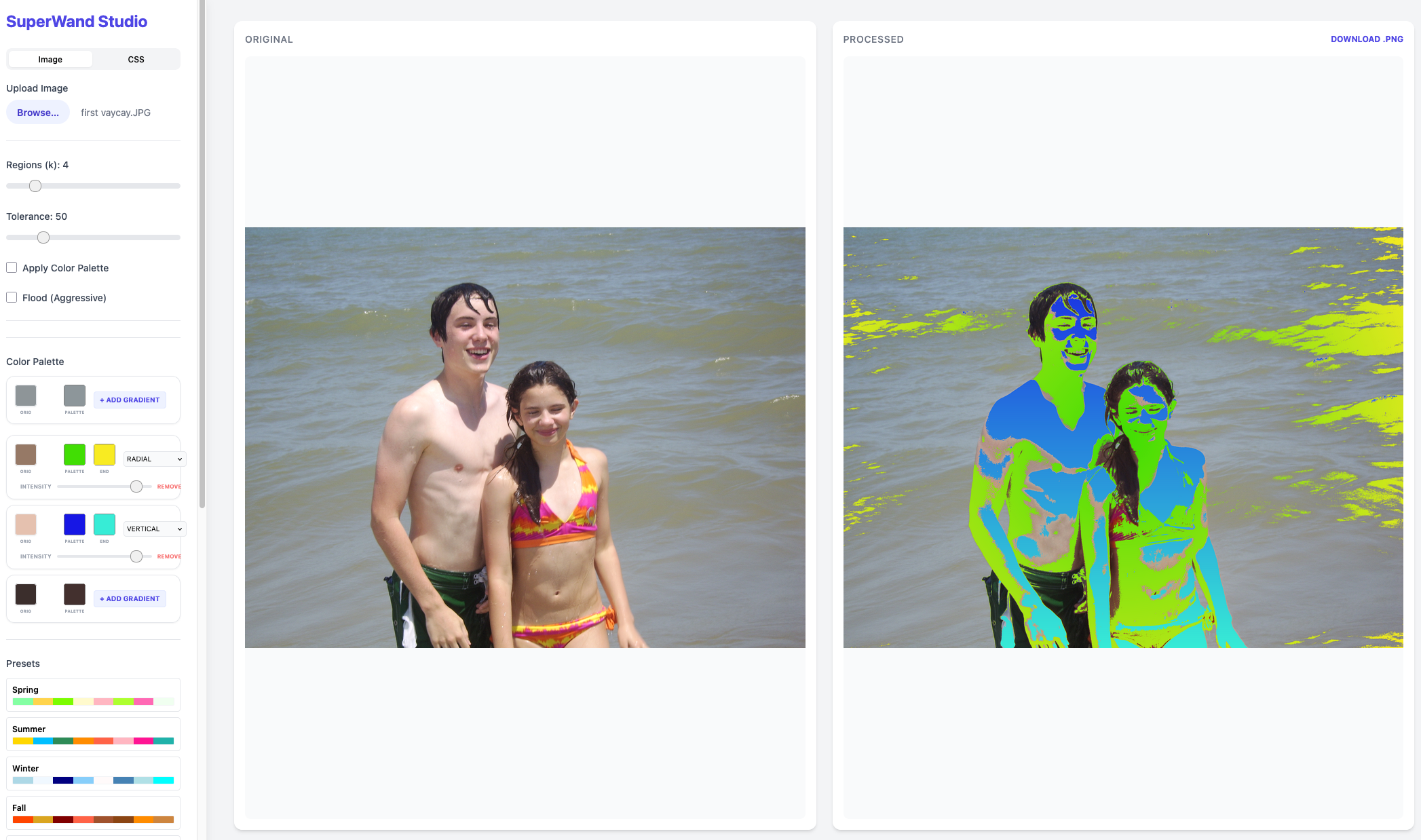
The CLI is fine for scripting, but the real fun is the Studio – a Flask-based web UI served locally at http://127.0.0.1:5001. Upload an image, and you get an interactive workspace:
- Pick a theme or set custom per-region colors
- Adjust the number of KMeans clusters (more clusters = finer region detection)
- Apply vertical, horizontal or radial gradients, with a polarity slider
- Toggle morphological flood-fill (uses SciPy’s binary closing then dilation to fill holes and grow each region’s mask)
- See the result instantly as a live preview
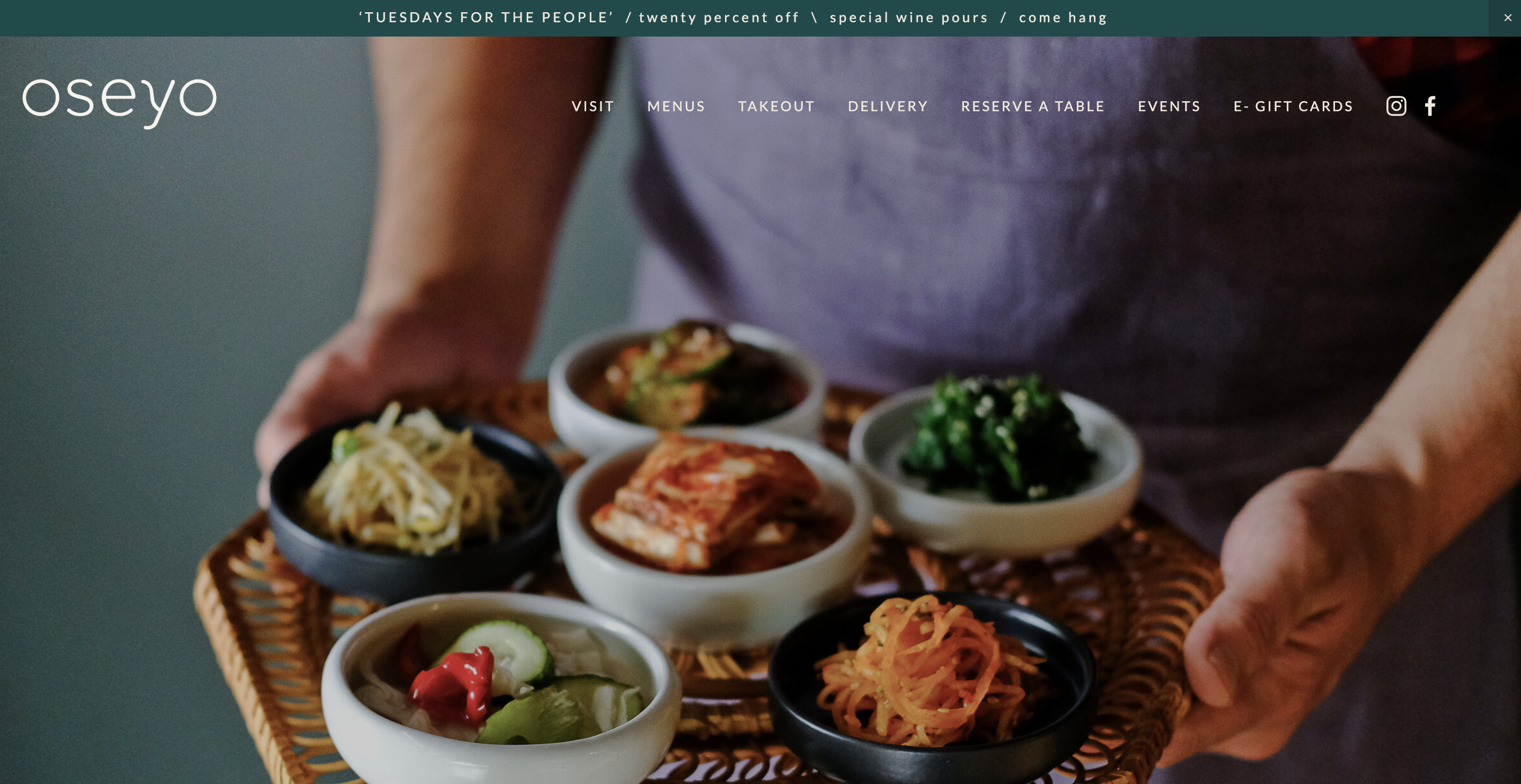
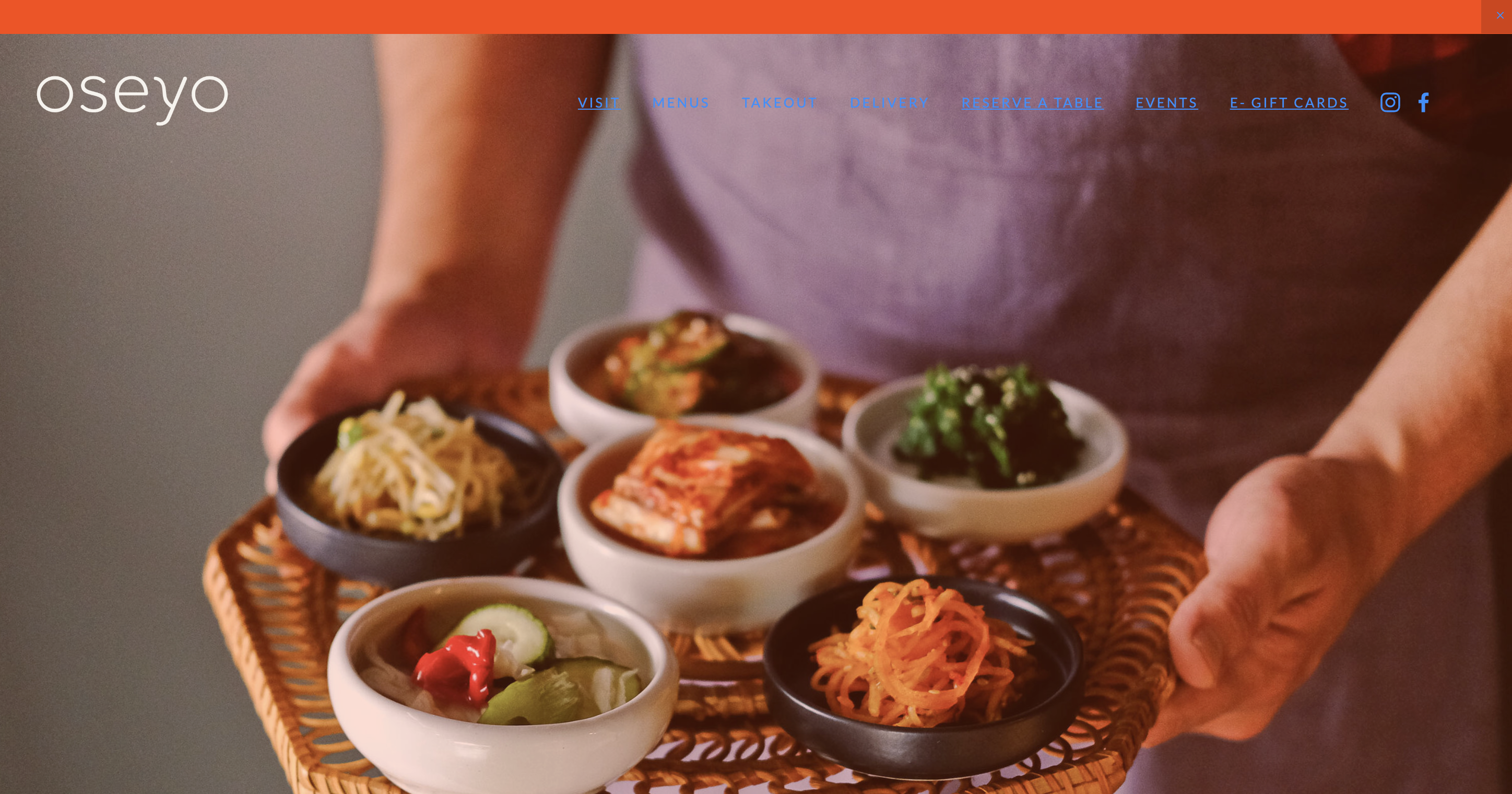
The Studio also handles CSS retheming, and so does a standalone css-retheme command. SuperWand finds every color value in the stylesheet’s declarations – #rgb, #rrggbb, 4- and 8-digit hex with alpha, rgb() and rgba() – clusters them with KMeans, and maps the most-used cluster to the theme’s first color, the next to the second, and so on. Selectors like #header, comments, indentation and alpha channels are left alone. The before/after is surprisingly dramatic:
CLI Usage
pip install superwand
superwand zebra.png -theme Urban
superwand charizard.png -theme Vaporwave -k 6 -gradient radial
The -k flag controls the number of color regions. More regions means finer-grained recoloring. For simple posterized art (like the Charizard), 4 regions works well. For photographs with subtle gradients, 6-8 regions capture more detail.
A few more:
superwand charizard.png -gif                                  # animated cycle through all 18 themes
superwand skyline.jpg -theme Midnight -k 5 -match luminance -o out/
superwand charizard.png -palette -k 4                         # print the dominant colors as hex
superwand --list-themes
css-retheme site.css Tropical -o site_tropical.css
Python API
Everything the CLI does is also a function that returns a PIL image:
from superwand import retheme, transfer_palette, extract_palette, theme_cycle_gif

img = retheme("charizard.png", "Vaporwave", k=6, gradient="radial")
img = retheme("charizard.png", [(255, 0, 128), (0, 255, 255), (20, 0, 40)])  # any palette
img = transfer_palette("rocket.jpeg", "mantis_shrimp.jpeg", k=6)
theme_cycle_gif("charizard.png", "charizard_themes.gif")
The Interesting Parts
The NumPy optimization was worth the effort. The naive approach – iterating over each pixel in a Python loop to check its cluster assignment and replace its color – is painfully slow for large images. The vectorized approach uses fancy indexing: arr[rows, cols] = theme_color replaces an entire region in one operation. Gradients are vectorized the same way: compute every region pixel’s position along the gradient as one array, apply the polarity exponent, and blend the start and end colors in a single broadcast. The standalone gradient-enforce command used to paint pixel by pixel with ImageDraw.point; moving it onto the same vectorized path made it 25x faster on a 1120x1120 Charizard and 33x faster on a 12-megapixel photo (50 seconds down to 1.5), with pixel-identical output. No Python loops touch individual pixels anymore.
The morphological flood filling (optional, via SciPy) addresses a visual artifact of KMeans clustering: speckled regions. KMeans assigns each pixel independently, so a region can be riddled with pinholes – a few pixels whose color was ambiguous went to a neighbour. Binary closing fills those holes, then a slight dilation grows the region’s mask so it envelopes its ragged edge. It is a post-processing step borrowed from medical image segmentation, applied here to make Charizards look better.
The CSS retheming feature came from a practical itch. I was reskinning a web project and manually hunting for every hex code in the stylesheets. SuperWand automates this: it finds every color in the stylesheet’s declarations, clusters them (because many similar shades should map to the same theme color), gives each cluster a theme color, and writes the new stylesheet. It is the kind of thing that saves you two hours of find-and-replace.
Eighteen themes – or any photo’s palette. Five gradient styles. One wand.